May 14, 2026 · 4 min read
How to Turn Your Pet into a Studio Ghibli Character with AI
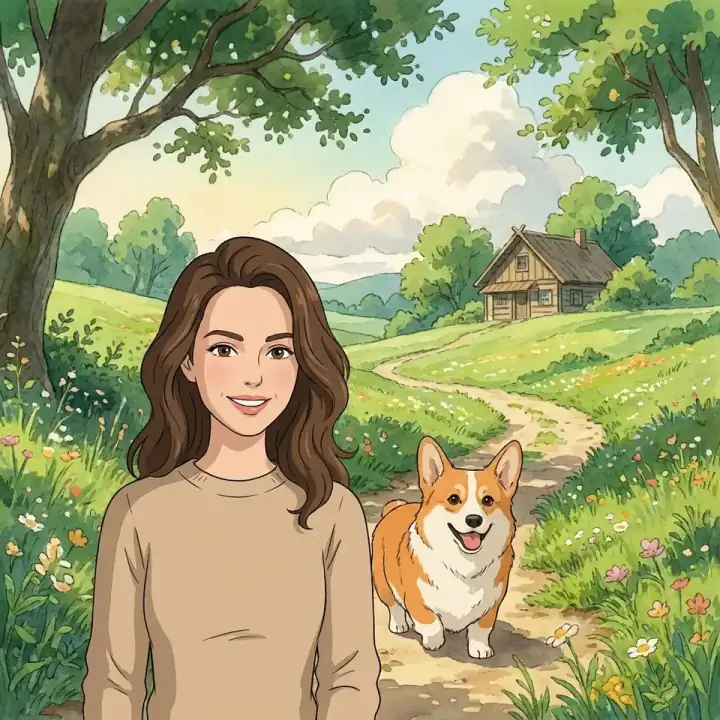
If you've been anywhere near the internet in the last year, you've seen the Studio Ghibli AI trend. Everyone is turning their photos into soft, painterly characters straight out of My Neighbor Totoro or Spirited Away. And honestly? It works even better on pets.
Dogs, cats, rabbits — animals translate beautifully into Ghibli's hand-painted aesthetic. The warm earthy tones, expressive eyes, and lush background details make pets look like they belong in a Hayao Miyazaki film. Here's how to create one in under a minute.
Why Ghibli Style Works So Well for Pets
Studio Ghibli films are famous for their incredibly detailed depictions of animals. From the cat bus in Totoro to the wolves in Princess Mononoke, Miyazaki's team has always treated animals as full characters — expressive, dignified, and full of personality.
When you apply this style to your pet, the AI picks up on what makes your specific animal unique — the tilt of their ears, the texture of their fur, the particular way their eyes catch the light — and translates it into that unmistakable Ghibli warmth.
How to Create a Ghibli AI Pet Portrait (Step by Step)
Choose your best photo
Pick a photo with clear lighting and your pet's face fully visible. Front-facing works best. Avoid blurry or heavily cropped images.
Go to PawDressed and upload
Head to pawdressed.com/generate and upload your photo. JPG, PNG, or WEBP up to 10MB.
Select the Ghibli style
In the style picker, go to the Illustration category and select Studio Ghibli. You'll see a preview of what the style looks like.
Generate and download
Hit generate and wait about 30 seconds. You'll get a free watermarked preview — if you love it, purchase the HD version without watermark.
Tips for the Best Ghibli Pet Portrait
Natural light is your best friend. Ghibli's color palette is warm and earthy — photos taken in natural daylight or golden hour light translate especially well into the style. Avoid harsh flash photography.
Show the whole face. Unlike other art styles, Ghibli relies heavily on expressive eyes and facial features to convey personality. Make sure your pet's eyes and face are in clear focus and not cut off. If you're not sure how to get a sharp, well-lit photo, our pet photography guide covers exactly this.
Try the Human+Pet Combo version. PawDressed also lets you upload a photo of yourself alongside your pet and generates both of you in the Ghibli style together. It looks like a movie poster. Try the Human+Pet AI portrait feature for a truly unique result.
Square or portrait format works best. For the most Ghibli-looking result, choose the 1:1 or 3:4 output ratio. The 9:16 format can feel a bit stretched for this particular style.
What Makes PawDressed's Ghibli Style Different
There are a lot of AI image generators out there, but most are general-purpose tools that don't specialize in pets. PawDressed is built specifically for pet portraits, which means the AI is tuned to preserve what makes your specific animal recognizable — their breed characteristics, fur texture, and the little details that make them theirs.
Generic tools often lose these details or produce something that looks like a random Ghibli animal rather than your pet. PawDressed's AI pet portrait generator is built specifically to keep that likeness — and your first preview is free.